Secrets in the KMS
The NNumbers Cloud Key Management Service (KMS) works as a secrets vault. It can hold passwords, certificates, and similar material, and can be used by some cloud components (for example the NNumbers Cloud Load Balancer or Kubernetes as a service).
Creating a secret on the NNumbers Cloud platform requires the platform's APIs.
To use the platform APIs you need an access credential (a user and password, or an application credential), and with the credentials in hand you need to create an access token (see Creating an access token from application credentials or Creating an access token from user credentials).
Access tokens are valid for one day only.
We recommend that all API access go through application credentials. Never hand your cloud access credentials to applications — particularly third-party ones — or to unauthorized third parties.
This walkthrough uses the example of a secret holding a PKCS#12 certificate, to be used by the load balancer service (NNumbers Cloud Load Balancer) with TERMINATED_HTTPS listeners.
Storing the secret through the API
The NNumbers Cloud KMS secrets API has a property called "expiration". It determines how long the secret stays stored and valid. In this walkthrough we derive the expiration from the certificate's own date. The valid format for this date is the internet date and time format defined by RFC 3339 — the ISO 8601 profile used in APIs.
EXPIRATION_DATE_TIME=$(date -d "$(openssl x509 -text -noout -in fullchain.pem |grep -i 'Not After :' | awk '{ print $4" "$5" "$6" "$7" "$8 }')" +'%FT%T%:z')
| Attribute name | Type | Description | Default |
|---|---|---|---|
| name | string | the secret's name | none |
| expiration | string | A UTC timestamp in ISO 8601 format, YYYY-MM-DDTHH:MM:SSZ. If set, the secret is unavailable after that date and time | none |
| algorithm | string | Metadata supplied by the user or system, for information only. | none |
| bit_length | integer | Metadata supplied by the user or system, for information only. Must be greater than zero. | none |
| mode | string | Metadata supplied by the user or system, for information only. | none |
| payload | string | The secret data to store. payload_content_type must also be supplied when payload is supplied. | none |
| payload_content_type | string | The media type of the payload content. For more, see Secret types. | none |
| payload_content_encoding | string | The encoding used for the payload so it can be included in the JSON request. Currently only base64 is supported. | none |
| secret_type | string | Used to indicate the type of secret being stored. For more, see Secret types. | opaque |
Create a file with the payload.
cat <<EOF> payload.txt
{"name": "my_site_com_tls_secret", "algorithm": "aes", "mode": "cbc", "bit_length": 256, "secret_type": "opaque", "expiration": "${EXPIRATION_DATE_TIME}", "payload": "$(base64 < ${FILE_BASE_NAME}.pfx)", "payload_content_type": "application/octet-stream", "payload_content_encoding": "base64" }
EOF
Call the API using the access token you obtained earlier.
curl -0 -v -X POST https://cloud.nnumbers.com.br:9311/v1/secrets/ \
-H "Content-Type: application/json" \
-H "X-Auth-Token: ${X_AUTH_TOKEN}" \
-d @payload.txt
Creating secrets through the web console
In the administrative console, go to Secrets under Key Management
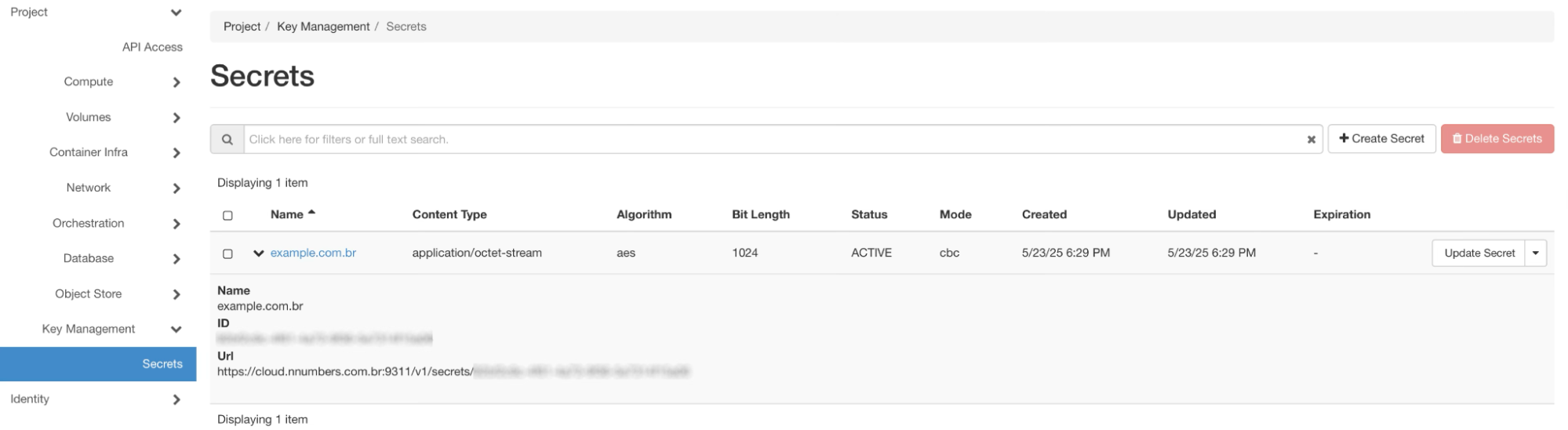
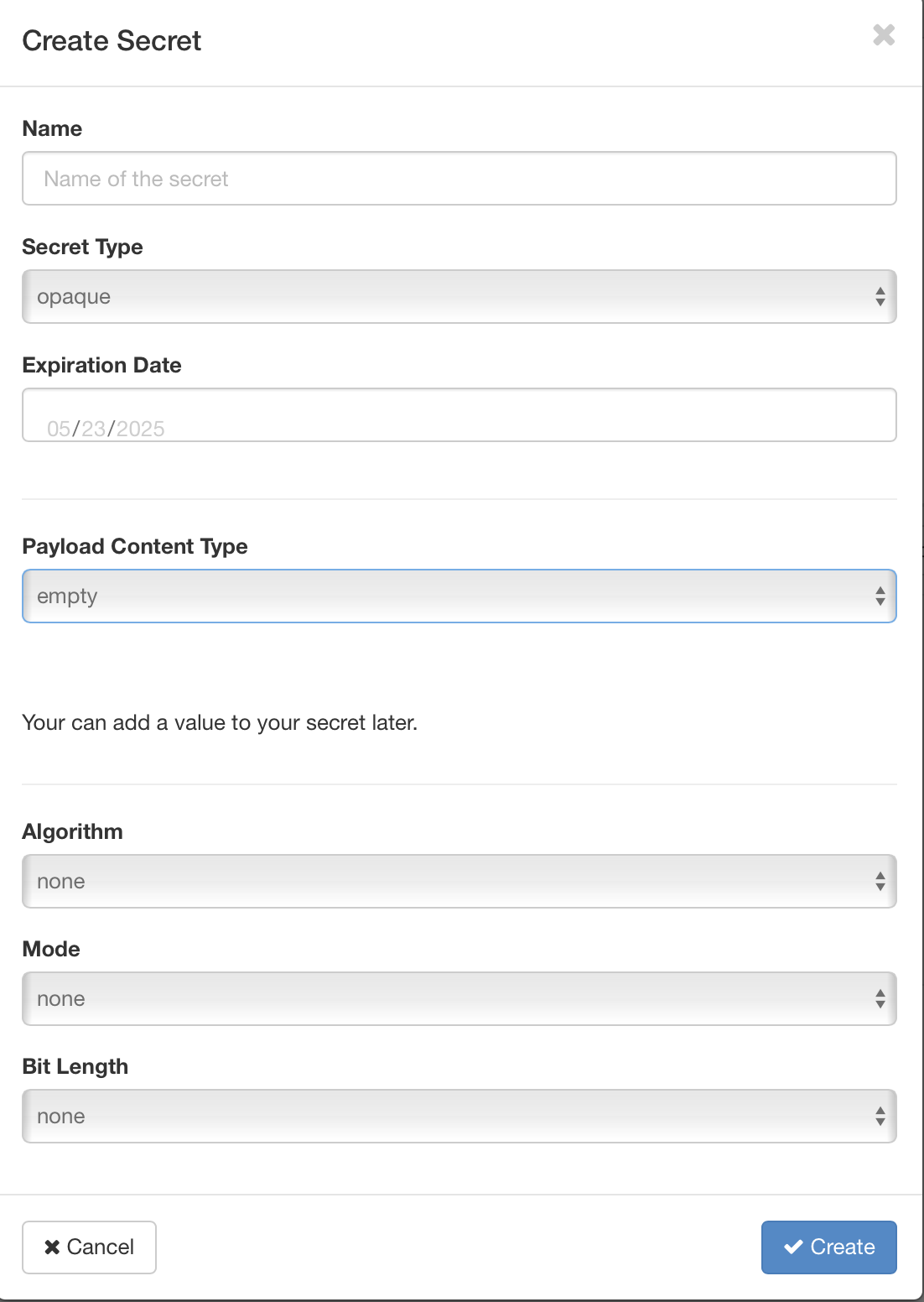
Click Create Secret
|
|
|
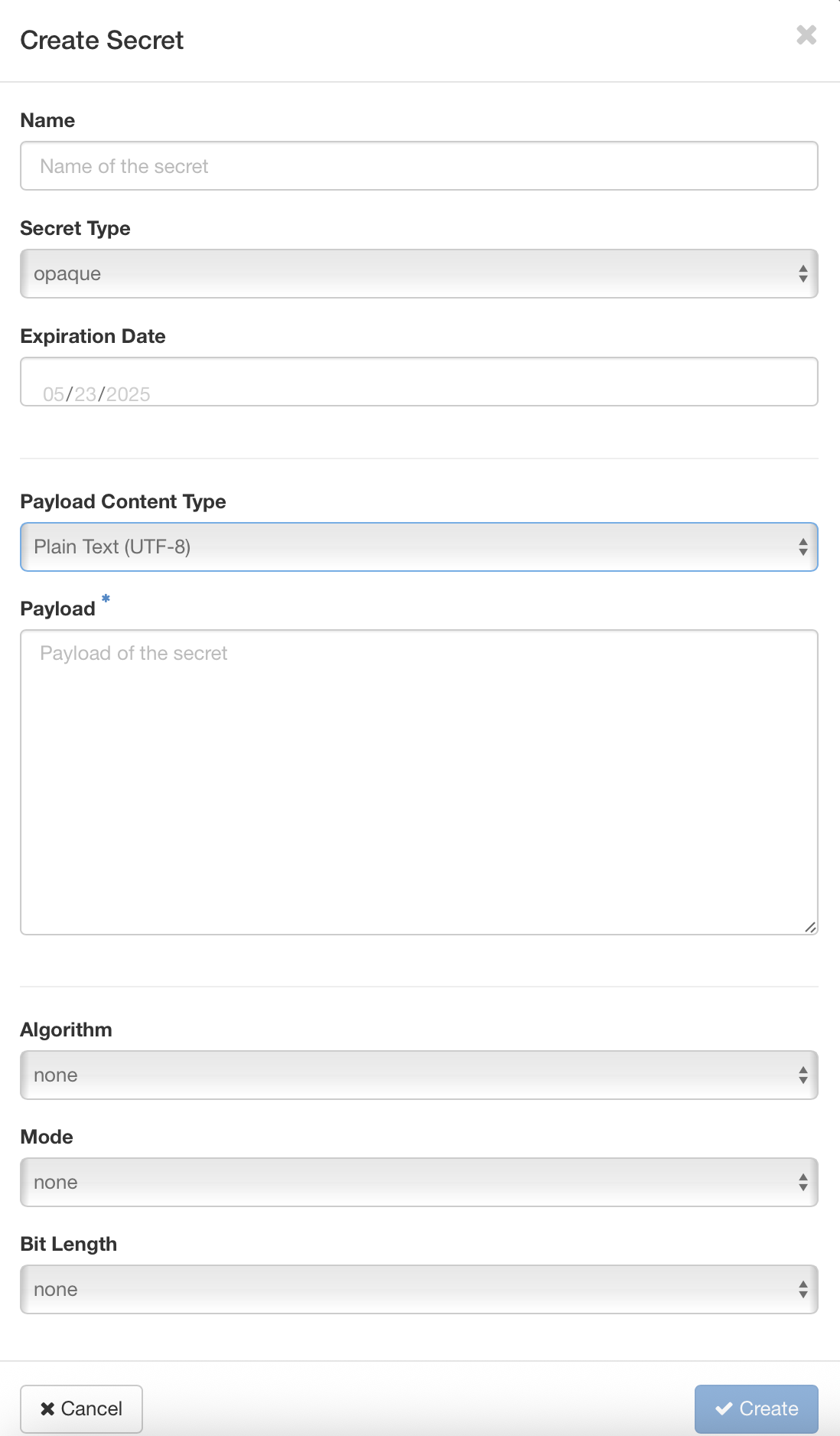
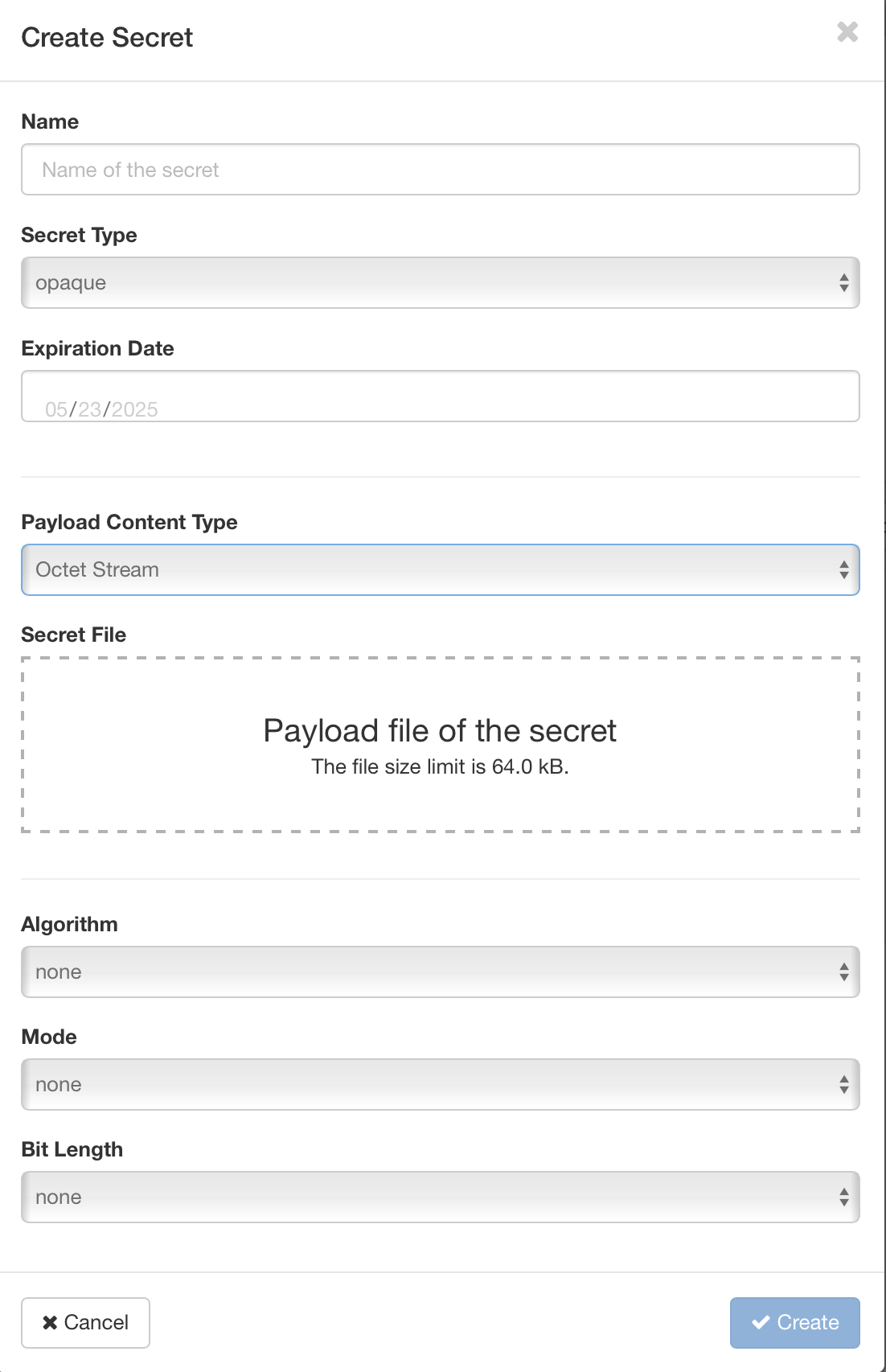
When Payload Content Type is set to | When Payload Content Type is set to Plain Text (UTF-8), the Payload field appears so you can submit the content. See more under Secret types. | When Payload Content Type is set to Octet Stream, the Secret File field appears so you can upload a file (a certificate, for example) to be stored in the secret. See more under Secret types. |
| Name | The secret's name | |
| Secret type | See Secret types | |
| Expiration Date | Expiration date | |
| Algorithm | AES, DES, 3DES, TWOFISH, SHA1, RSA, custom | |
| Mode | CBC, CFB, CTR, ECB, OFB, custom | |
| Bit Length | 64, 128, 256, 1024, 2048 | |
Secret types
Every secret in the NNumbers Cloud KMS has a type. Secret types describe the different kinds of secret data stored in the KMS. The type of a given secret is listed in the secret_type metadata attribute.
The possible secret types are:
-
symmetric — used to store byte arrays of confidential data, such as keys used for symmetric encryption. The content type used with symmetric secrets is "application/octet-stream". When storing a symmetric secret with a single POST request, the data must be encoded so it can be included in the request's JSON body — base64 content encoding can be used for that.
-
public — used to store the public key of an asymmetric (public/private) key pair. For example, a public secret can store the public key of an RSA key pair. There is currently only one accepted file format for public secrets: a DER-encoded SubjectPublicKeyInfo structure as defined by X.509, RFC 5280, base64-encoded with a PEM header and footer. This is the public key format the openssl tool generates by default. The content type used with public secrets is "application/octet-stream". When storing a public secret with a single POST request, the file content must be encoded, since JSON does not accept newline characters — so encode the file content in Base64 and use base64 content encoding.
-
private — used to store the private key of an asymmetric (public/private) key pair.
-
passphrase — used to store plain-text passwords.
-
certificate — used to store cryptographic certificates such as X.509 certificates.
-
opaque — used for compatibility with earlier API versions without "typed" secrets. New applications are encouraged to specify one of the other secret types.
Next steps
Was this page helpful?
Report a problem on this pageDo not send passwords, keys, tokens, or customer data.