Security groups
Security groups are sets of IP filter rules applied to the network interfaces of a compute instance. Once the security group is created, you can add rules to it (for example allowing SSH traffic, allowing ICMP traffic, allowing HTTP/HTTPS traffic).
Rules define which traffic is allowed for the instances assigned to the security group. A security group has three main parts:
-
Rule: you can pick the rule template you want or use custom rules — the options are Custom TCP Rule, Custom UDP Rule, or Custom ICMP Rule.
-
Open Port/Port Range: for TCP and UDP rules you can choose to open a single port or a port range. Selecting "Port Range" gives you fields for the first and last port in the range. For ICMP rules you instead specify an ICMP type and code in the fields provided.
-
A port identifies a specific service inside a machine. The IP address says which machine; the port says which service on that machine.
The official list of ports per protocol is the IANA port registry. Services may nevertheless be assigned different ports for the same protocol — because of permission constraints, because the port is already in use on the same server and IP (several services of the same protocol on one machine), for security reasons, and so on.
Web services, for example, use HTTP and/or HTTPS (HTTP secure) by default; HTTP uses port 80 by default and HTTPS uses port 443. That is why ports do not always have to be given to the tools. For a site exposed over both HTTP and HTTPS (say
www.mysite.com), you could reach it ashttps://www.mysite.com,https://www.mysite.com:443,http://www.mysite.com, orhttp://www.mysite.com:80— the first two both go to port 443 and the last two to port 80.Another common example is SSH access, very common on Linux compute instances, where port 22 is the protocol's default. You do not need to state the port when calling the default one, as long as the instance's SSH service is active (listening) on it. If the port was changed, the client needs to know it and state it explicitly. Remote: you must specify the source of the traffic allowed by this rule. You can do that as a block of IP addresses (CIDR) or through a source group (Security Group). Choosing a security group as the source lets any other instance in that security group reach any other instance through this rule.
A new security group can be created from the Project->Network->Security Groups menu, using the
Create Security Groupbutton
-
-
Remote: you must specify the source of the traffic allowed by this rule. You can do that as a block of IP addresses (CIDR) or through a source group (Security Group). Choosing a security group as the source lets any other instance in that security group reach any other instance through this rule.
Security groups
A new security group can be created from the Project->Network->Security Groups menu, using the Create Security Group button
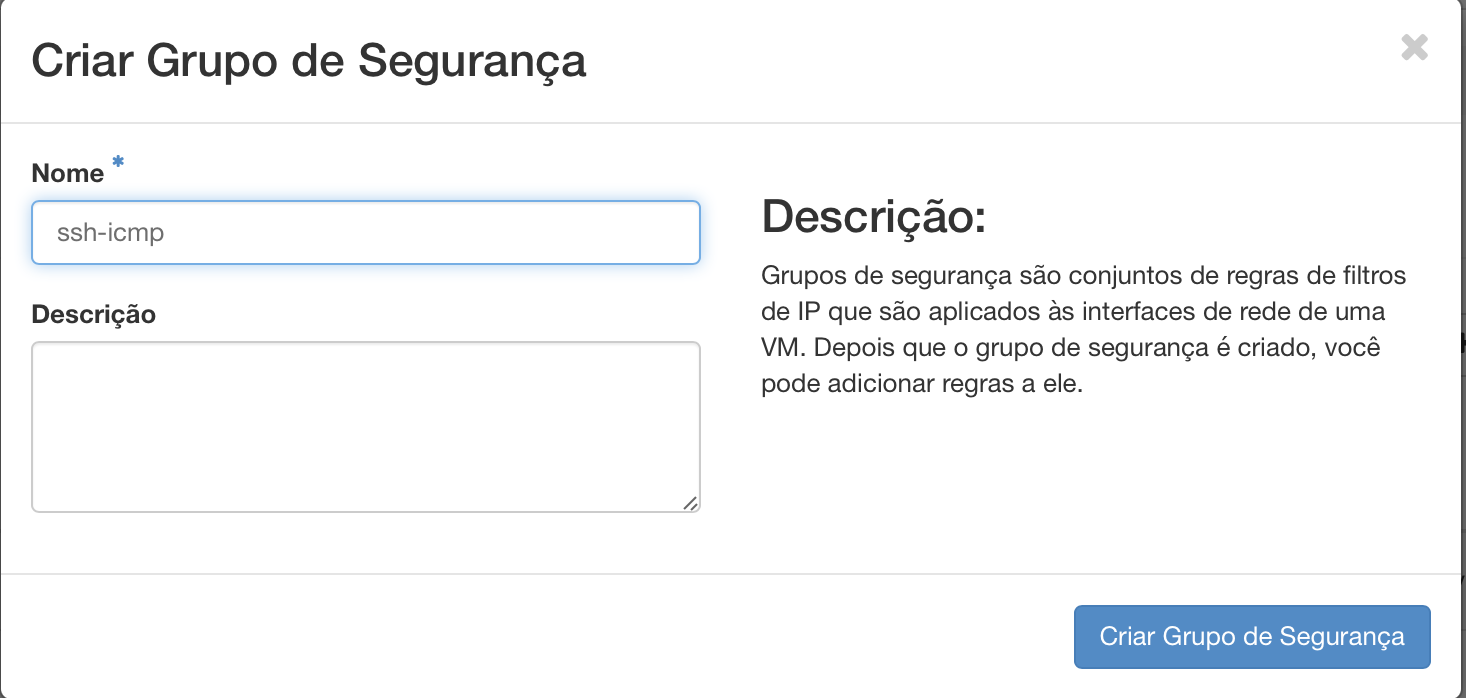
After creating a security group, you need to add rules to it.
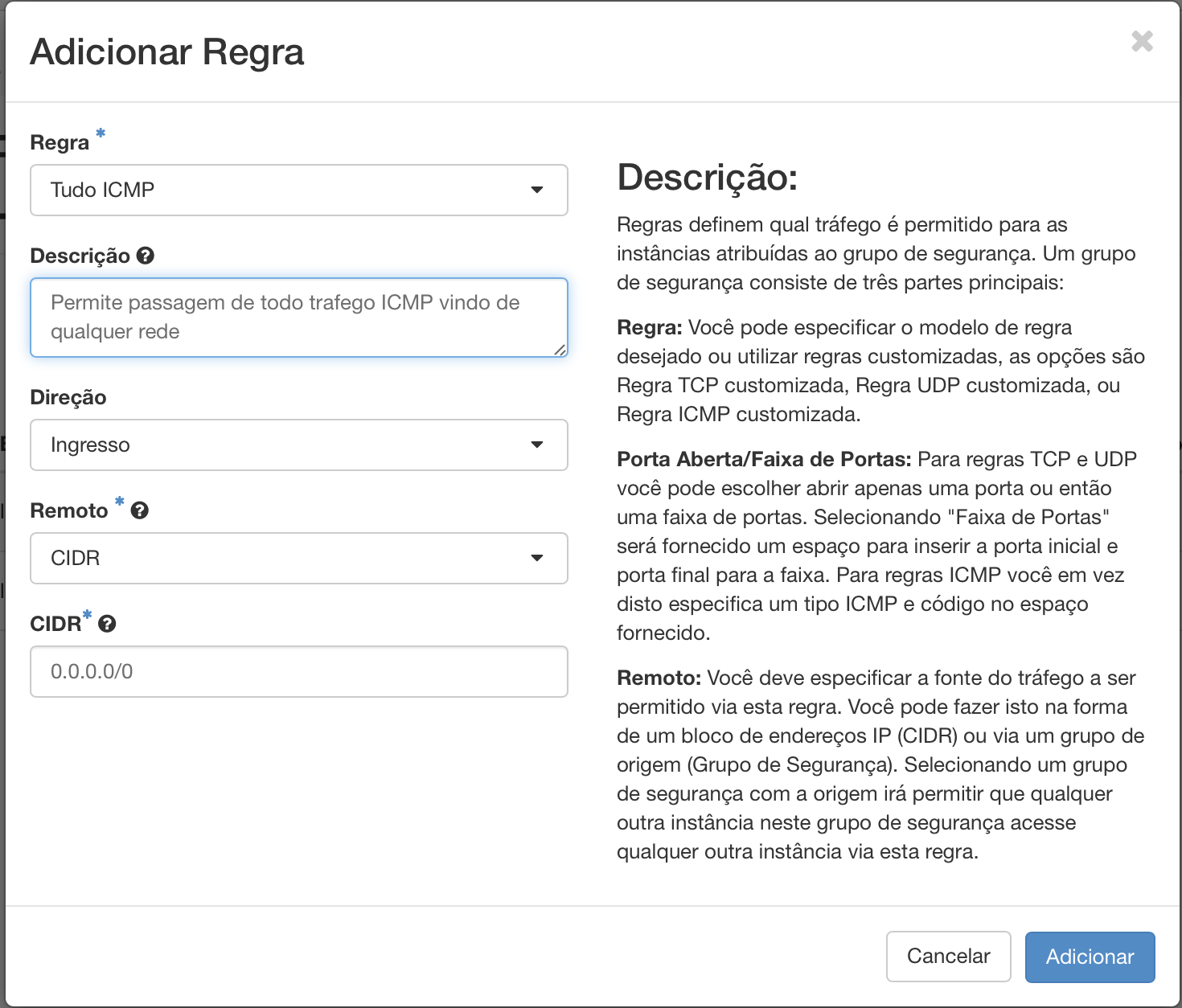
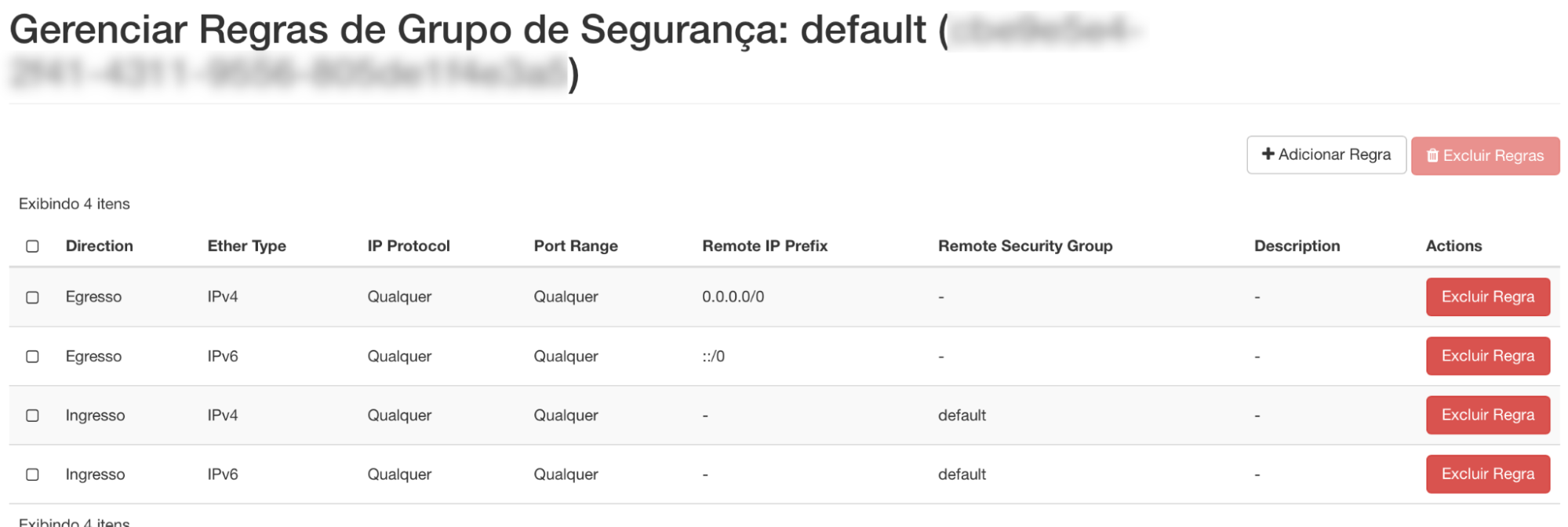
By default, every new security group includes rules allowing all outbound (egress) traffic for IPv4 and IPv6.
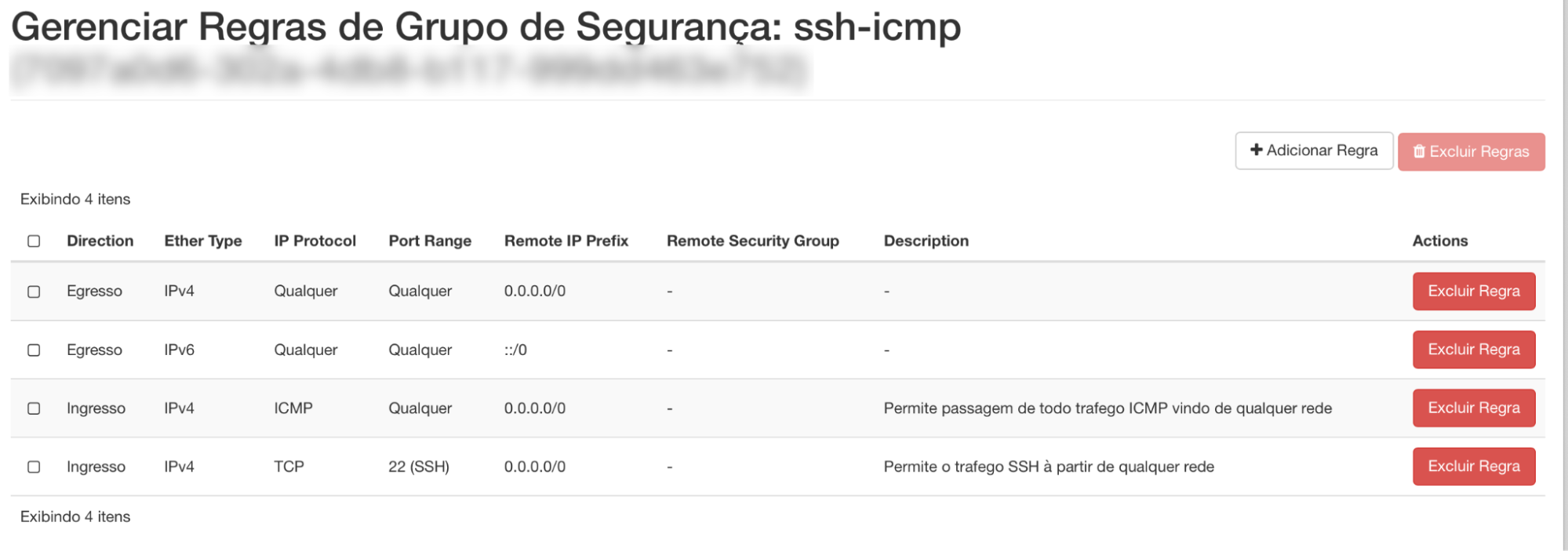
Additional security groups can be created for different purposes (for example allowing inbound HTTP/HTTPS traffic, allowing SSH access), IP ports, protocols, and remote prefixes.
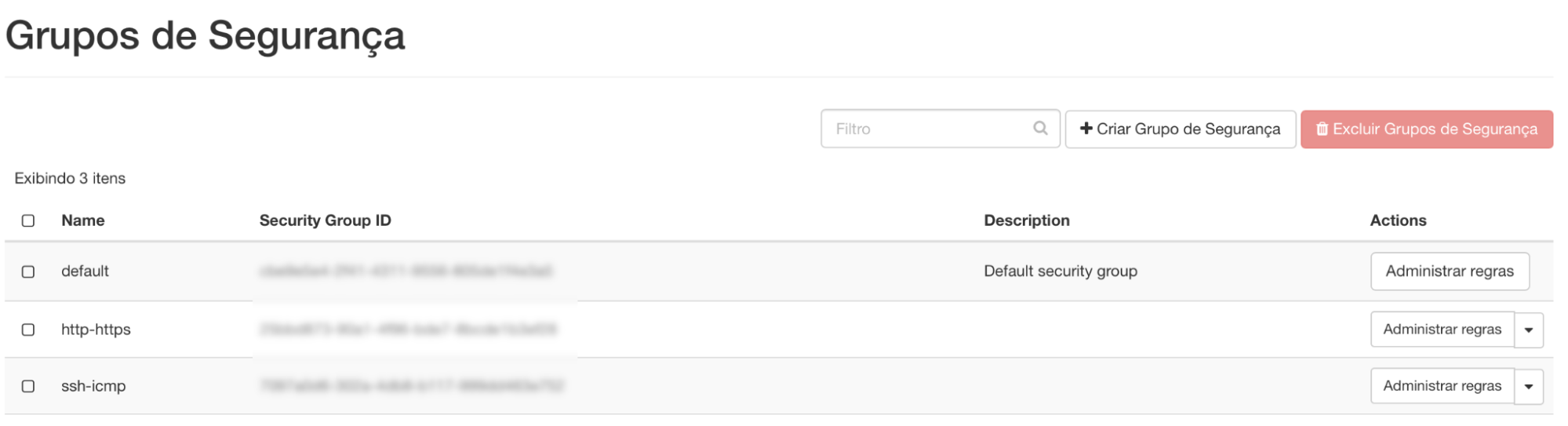
Projects (tenants) are created with a default security group whose rules allow all outbound traffic on IPv4 and IPv6 and block all inbound traffic on IPv4 and IPv6.
Next steps
Was this page helpful?
Report a problem on this pageDo not send passwords, keys, tokens, or customer data.