SSH access
To connect over SSH, the compute instance must be reachable — either through a floating IP on the instance itself (see Floating IPs) or through a floating IP on a load balancer (see Exposing a load balancer) — and a security group must allow the protocol, port, and IP/CIDR (see Security groups).
Using the SSH command line
To connect over SSH with a key, run:
ssh -i [<path>/]<private-key> <user-name>@<host>
where:
-i— points to the private key file<path>— optional; the directory/folder where the private key was saved (for example, for keys stored in the user's home directory under the "hidden" .ssh sub-directory, use~/.ssh). It can be omitted when the private key file is in the directory you are running the command from.<private-key>— the name of the private key file saved after creating the public/private key pair<user-name>— the default user of the compute instance, or the user created through cloud-init.<host>— the name (DNS) or floating IP used to reach the compute instance.
Using PuTTY as your SSH client
Converting the SSH private key for PuTTY
warning
Do this after creating and downloading the private key from the console to your computer.
First, download PuTTYgen.
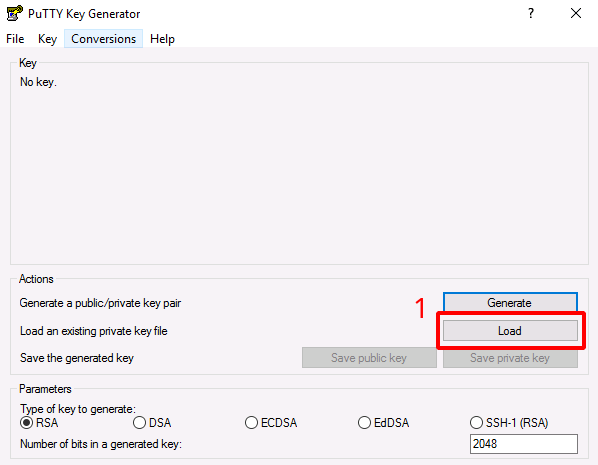
When you open PuTTYgen you get the following screen; proceed as below:
- Click
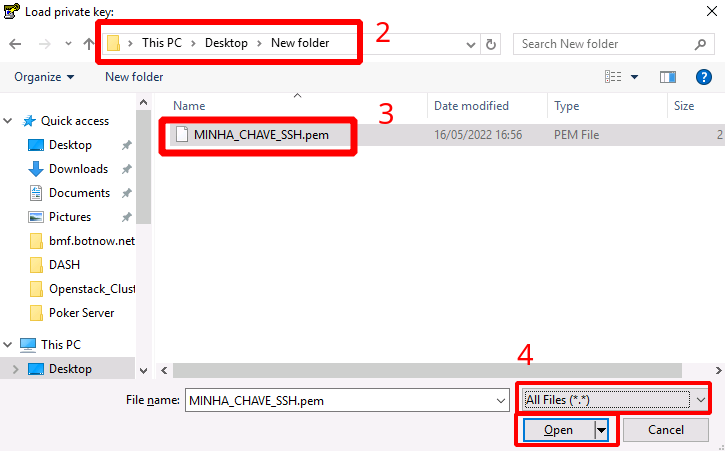
Load- In the window that opens, go to the directory where you saved the PEM
- Select the key you want
- Under file type, choose
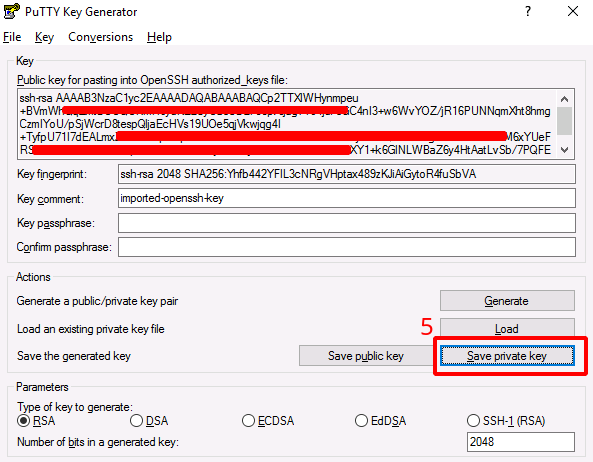
All files (*.*)and clickOpen- Once the key is imported, click
Save Private Key- Choose a name and save the converted file
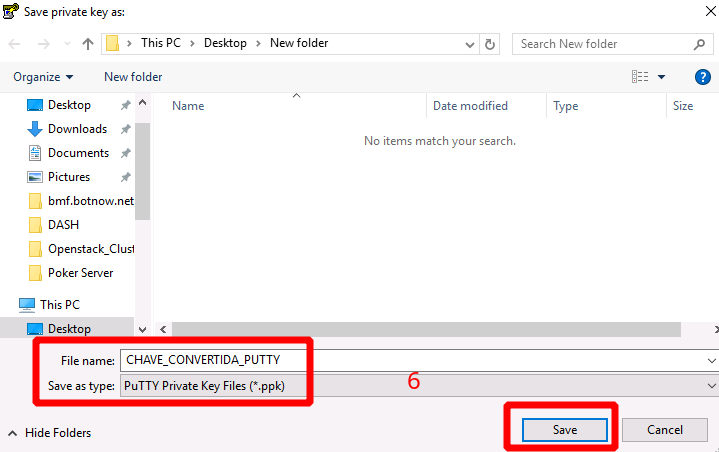
After these steps you can use the new file to connect through PuTTY.
Connecting to the server with PuTTY + a private key
- Open PuTTY and enter the server address or IP, as shown:
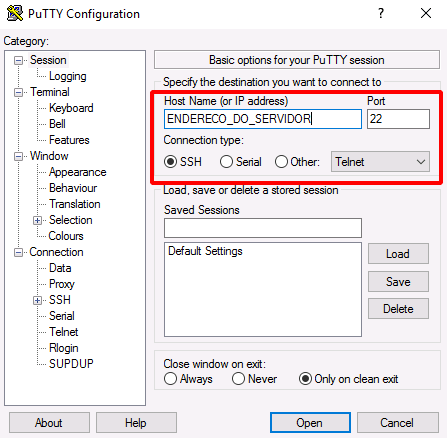
- Load the private key:
- In the left menu, click
Connections; - Click
SSH - Click
Auth - Click
Browse…and select the key
- In the left menu, click
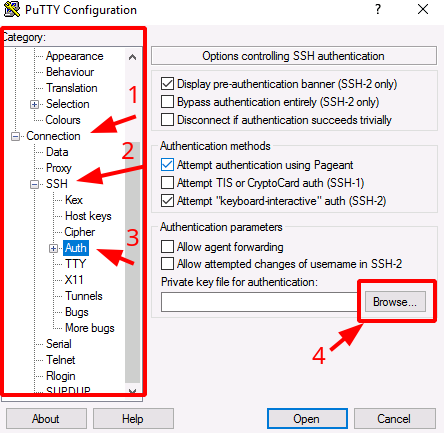
- To connect, click
Openat the bottom of the window

- You are prompted for the user name

Next steps
Was this page helpful?
Report a problem on this pageDo not send passwords, keys, tokens, or customer data.